Collecting data from a vCenter instance in VCF Usage Meter, the collection fails: "Exception in getLicenses"
Article ID: 423321
Updated On:
Products
VMware Usage Meter
Issue/Introduction
When attempting to collect data from a vCenter Server instance in VCF Usage Meter, the collection fails with error as the below screenshot :
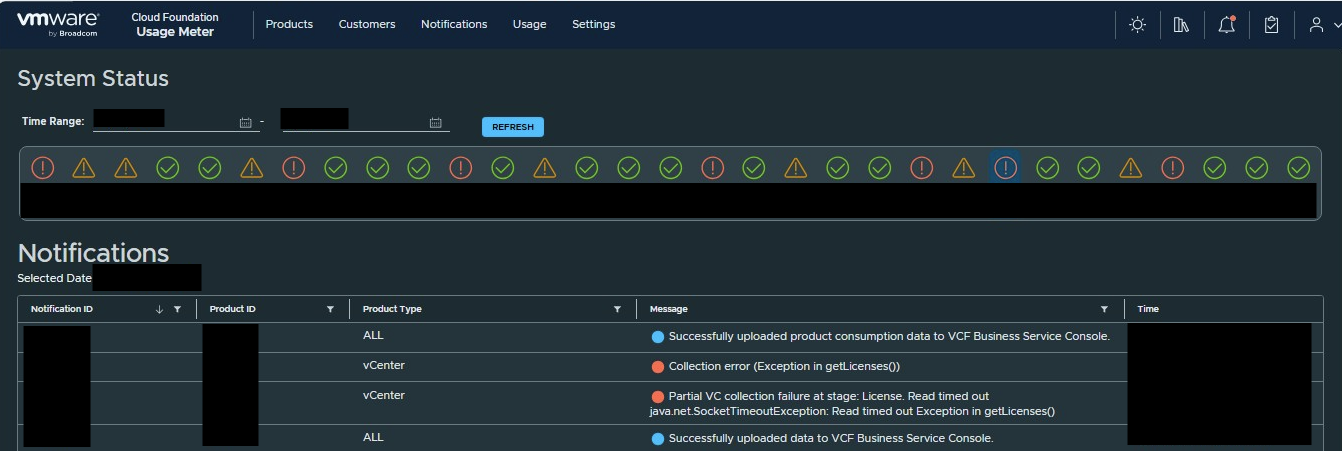
Below errors are seen in the
Below errors are seen in the
collection-vcenter-error.log logs:Caused by: javax.xml.ws.WebServiceException: java.net.SocketTimeoutException: Read timed outEnvironment
VCF Usage Meter 9.x
Cause
This issue typically occurs when the default read timeout for the VCF Cloud Usage Meter appliance is reached before the vCenter Server can respond to the licensing query.
Resolution
Follow the workaround mentioned below:
-
SSH using
usagemetercredentials. -
Edit the
command.yml file using:vi /opt/vmware/cloudusagemetering/platform/conf/schedule-executions/command.yml -
Find the property
sun.net.client.defaultReadTimeoutand update the value to300000(300 seconds); by default the value is set to150 seconds. -
After updating the value, press
ESCkey and save the file using::wq! -
Reboot the VCF Cloud Usage Meter appliance:
reboot -f
Additional Information
Below is the KB for similar issue :
Usage Meter collection fails with the error "Exception in getLicenses"
Usage Meter collection fails with the error "Exception in getLicenses"
Feedback
Yes
No
Powered by
