Unable to Log in to VCF Operations UI Using VCF SSO with Error: “Failed to login with VCF SSO service. The user did not import or does not belong to any imported group.”
Article ID: 438657
Updated On:
Products
VCF Operations
Issue/Introduction
User is unable to log in to the VCF Operations UI using VCF SSO. The login attempt fails with the following error:
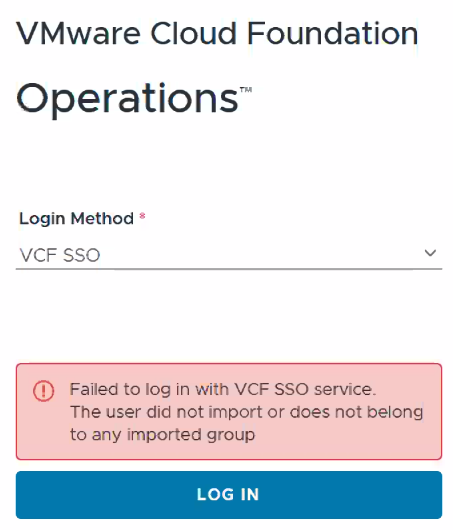
“Failed to login with VCF SSO service. The user did not import or does not belong to any imported group.”Environment
- VCF Operations 9.x.x
Cause
The issue occurs because no user or user groups have been imported into VCF Operations after configuring VCF SSO.
Resolution
To resolve the issue, import the required user or user groups into VCF Operations. Please follow the steps mentioned below:
- Log in to VCF Operations as a local
admin: (https://<VCF_OPS_FQDN_OR_IP>/ui ) - Navigate to:
Administration > Control Panel > Access Control - Go to the
UserorUser Groupstab. - Click the horizontal ellipsis (⋯) next to the Add button and select:
Import from Source - In the Import page, set the Import From field to:
VCF SSO - Use the Search Prefix field to find users or groups, then click
Next and Save. - After the users and/or groups appear in the Access Control list, select the entry.
- Click the vertical ellipsis (⋮) and choose
Edit. - Under Assign Roles and Scope, assign the appropriate roles and scopes.
- Click
Save.
Additional Information
Feedback
Yes
No
Powered by
