Inventory of VCF Operations displays incorrect NSX version
Article ID: 434849
Updated On:
Products
VCF Operations
Issue/Introduction
VCF Operations shows incorrect NSX version in its inventory.
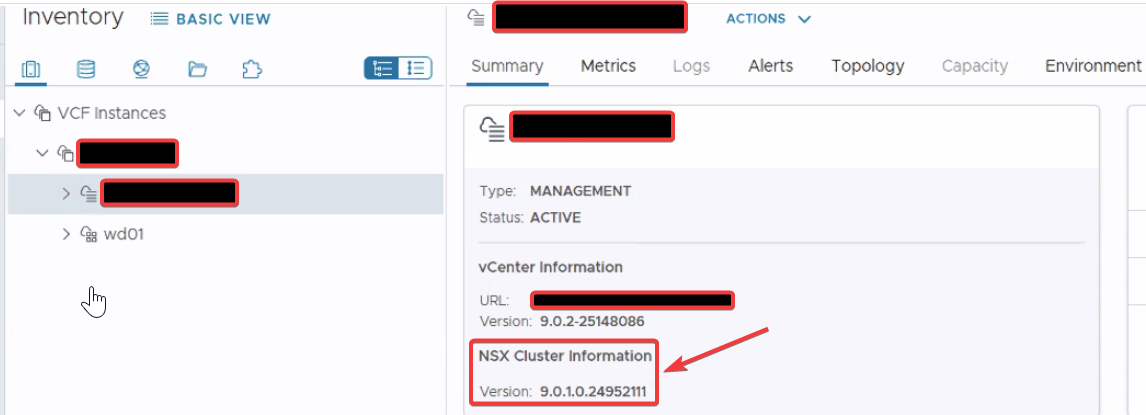
Environment
VCF Operations 9.0.x
Cause
This issue occurs when the NSX Adapter instance in VCF Operations is in a Warning state, preventing it from completing a full data collection cycle. As a result, VCF Operations is unable to retrieve the latest configuration from NSX and update the version in the inventory database.
Resolution
To resolve this issue and ensure the inventory reflects the correct NSX version, restore the NSX adapter to a healthy collection state:
- Log in to the VCF Operations UI as an
adminuser (https://<VCF_OPS_FQDN_IP>/ui) - In the left navigation pane, go to Administration > Integrations.
- Expand the configured NSX adapter instance and review its current status.
- If the adapter is in a '
Warning' state, select it and edit the configuration. - Click '
Validate Connection' and confirm the connection test is successful. - Save the configuration and verify that the adapter transitions to a green Collecting state after the next collection cycle (~5 minutes).
Once a successful collection cycle completes, the inventory will automatically refresh and display the updated NSX version.
Feedback
Yes
No
Powered by
