The “Retry” and “Cancel” buttons do not function in SDDC Manager when the language mode is not set to English
Article ID: 427588
Updated On:
Products
VCF Operations
VMware SDDC Manager / VCF Installer
Issue/Introduction
In SDDC Manager 9.0.x User Interface, when the language preference is set to a language other than English (e.g., Japanese, French, or Spanish), "Japanese" , the "Retry" and "Cancel" buttons may fail to respond when clicked. No error message is displayed, but the expected action does not initiate.
Example ( Japanese ):
Environment
SDDC Manager 9.0.x
Cause
This issue was UI language problem.
Resolution
VMware by Broadcom Engineering is aware of this issue and is working to resolve it in a future release.
As the workaround, change the "Language" property to "English" in "Preference" window then try to click "Retry" or "Cancel" button.
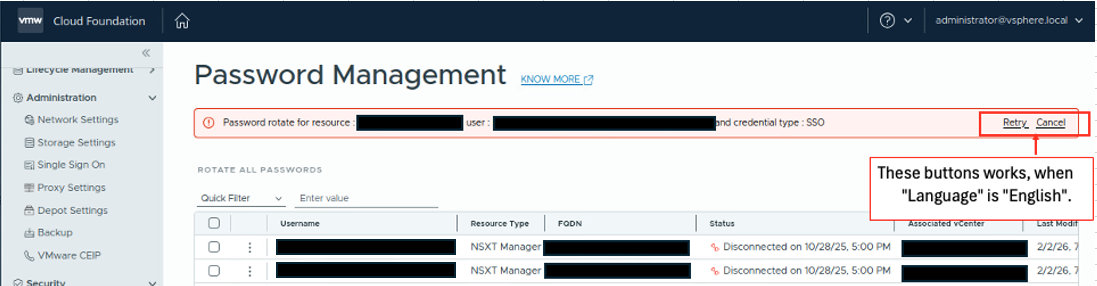
As the workaround, change the "Language" property to "English" in "Preference" window then try to click "Retry" or "Cancel" button.
Additional Information
Feedback
Yes
No
Powered by
