Unable to create vSAN ESA cluster – No eligible disks found.
Article ID: 426887
Updated On:
Products
VMware vSAN
Issue/Introduction
1. NVME disks are not available to claim during vSAN ESA cluster creation task. We see below error in UI if the disks are already formatted or have partitions -
2. In some cases, we see below error if the disks transport protocol is parallel scsi -
Environment
ESXi 8.0.x
vSAN 8.0.x
Cause
With Intel VMD enabled, all PCI devices behind the VMD controller will be invisible to the operating systems on the server.
Resolution
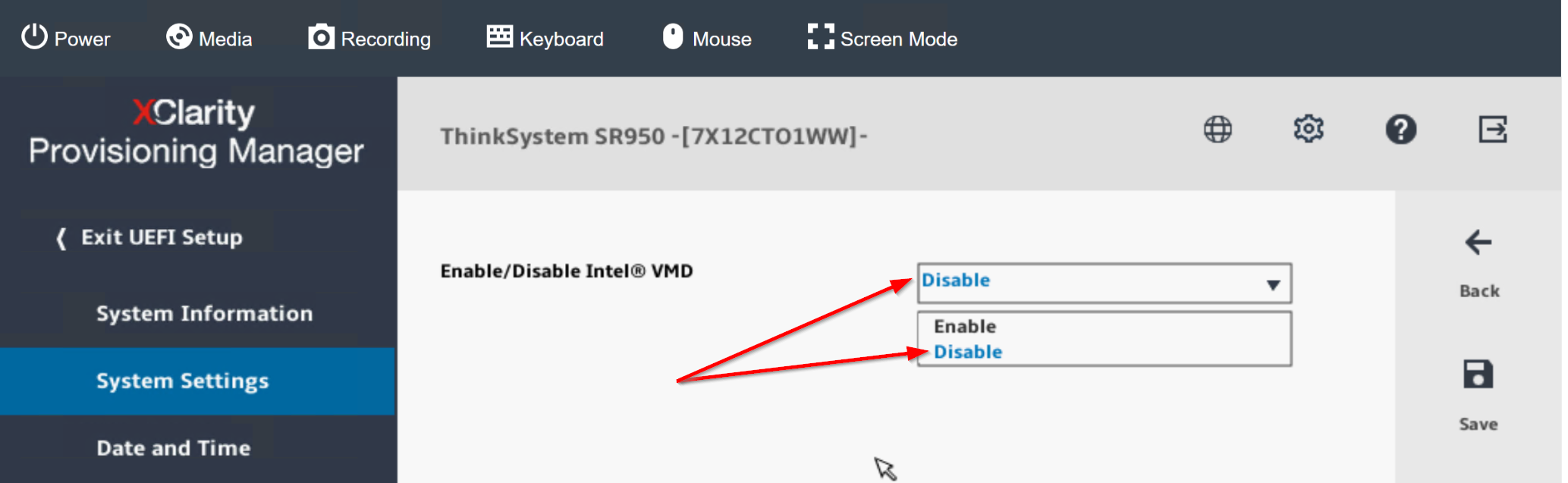
1. Disable Intel VMD to make the PCI devices visible. Below is sample screenshot of working setup -
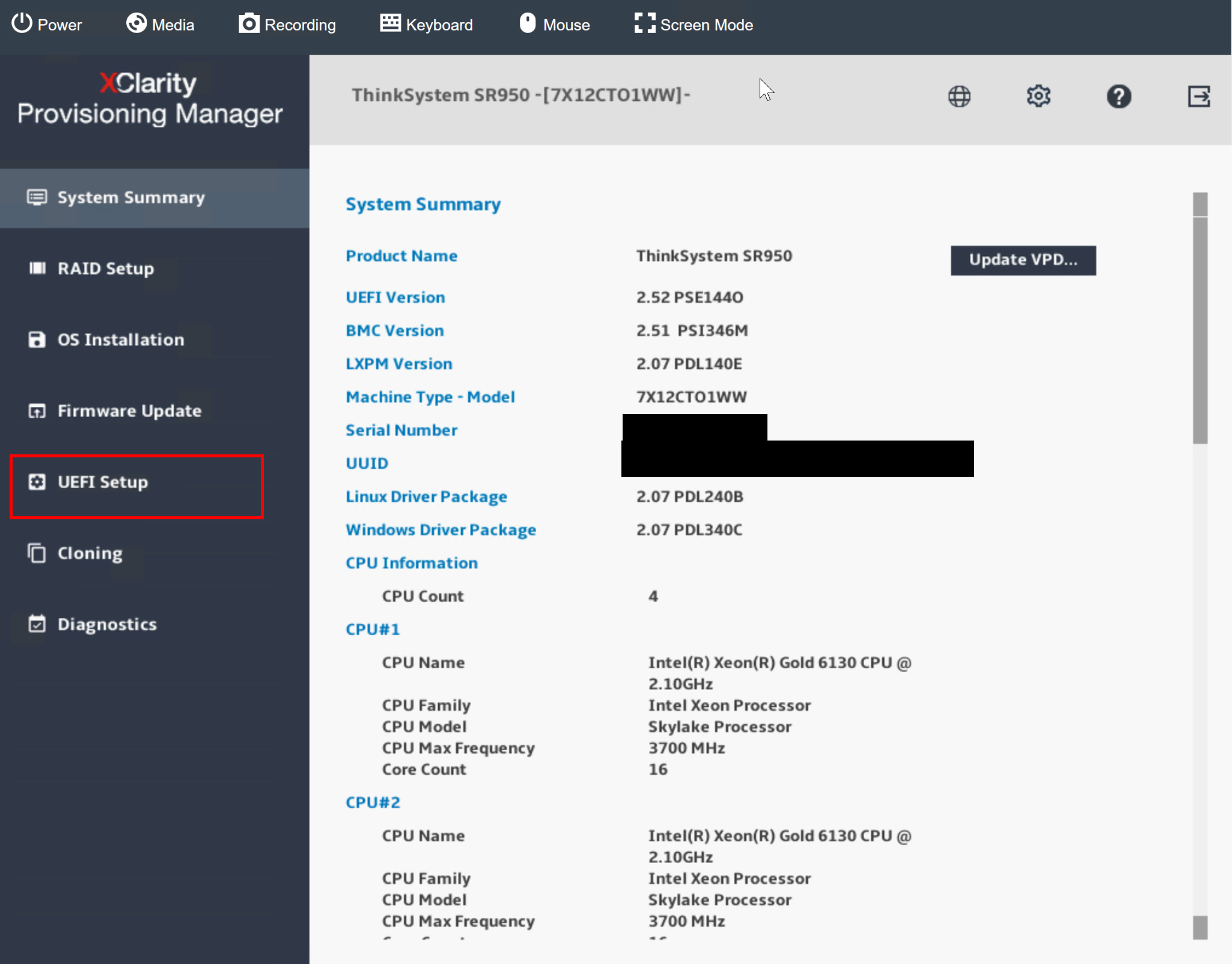
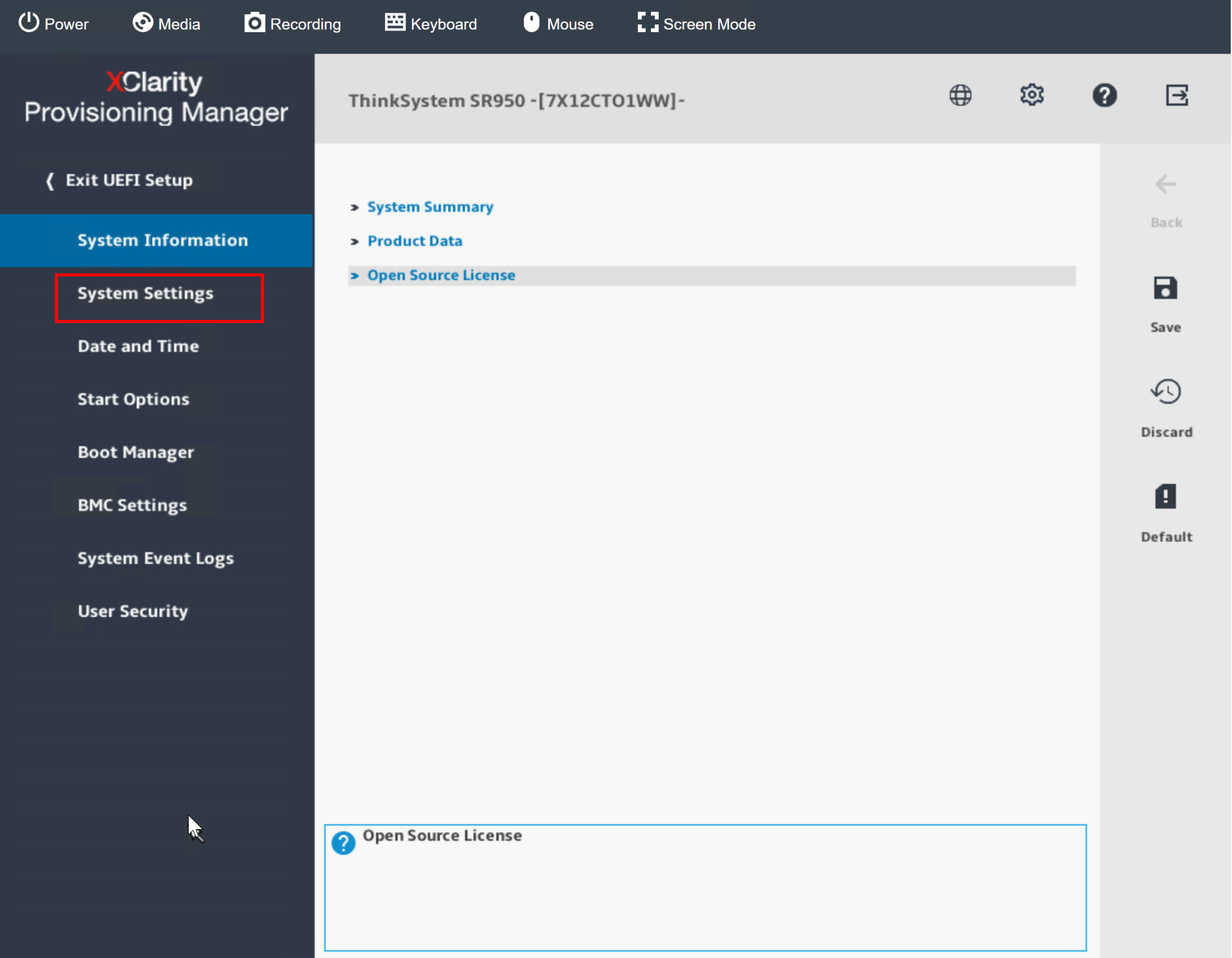
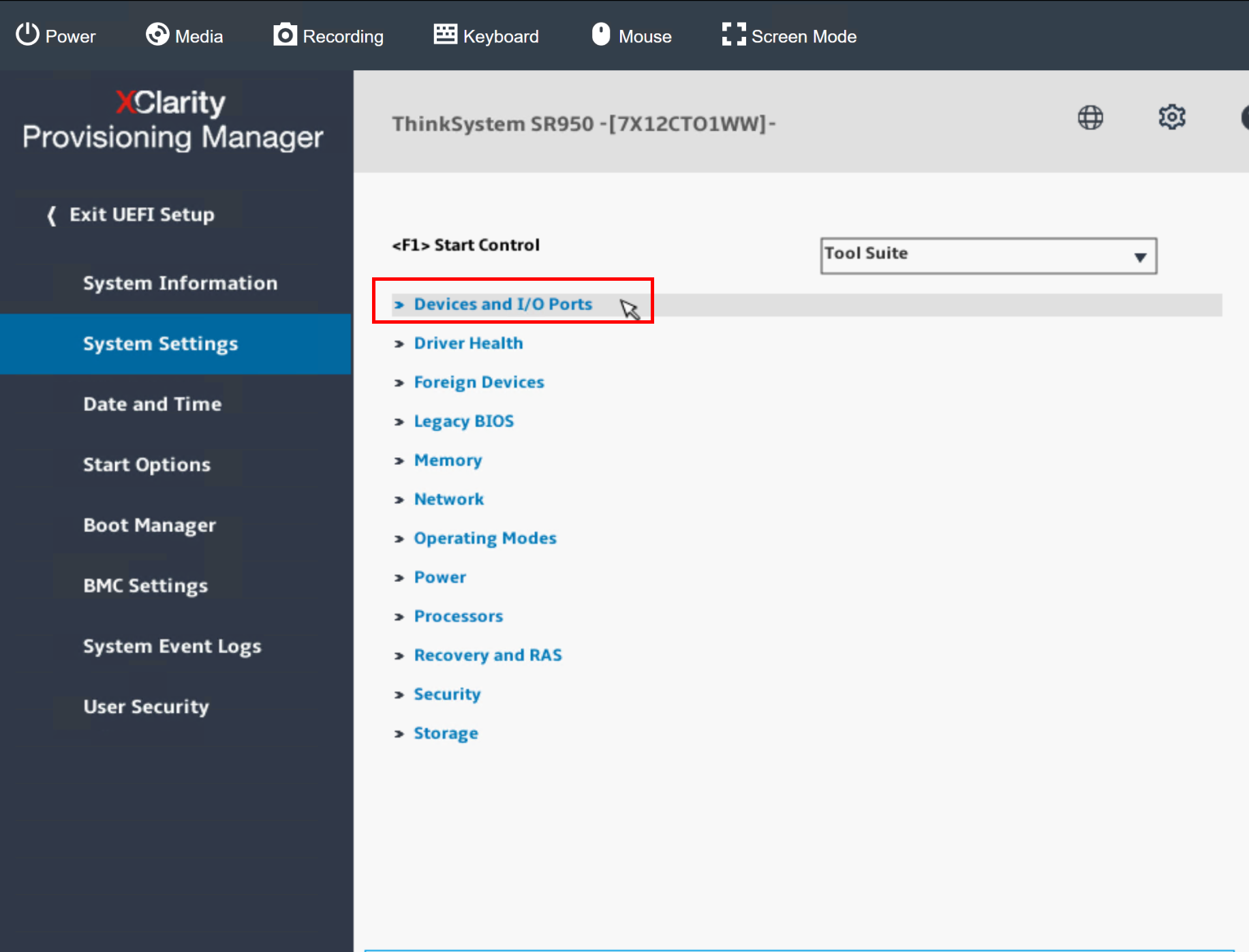
To disable VMD, boot the server to F1 Setup, then go to:
- UEFI Setup.
- System Settings.
- Devices and I/O Ports.
- Select Intel VMD Technology.
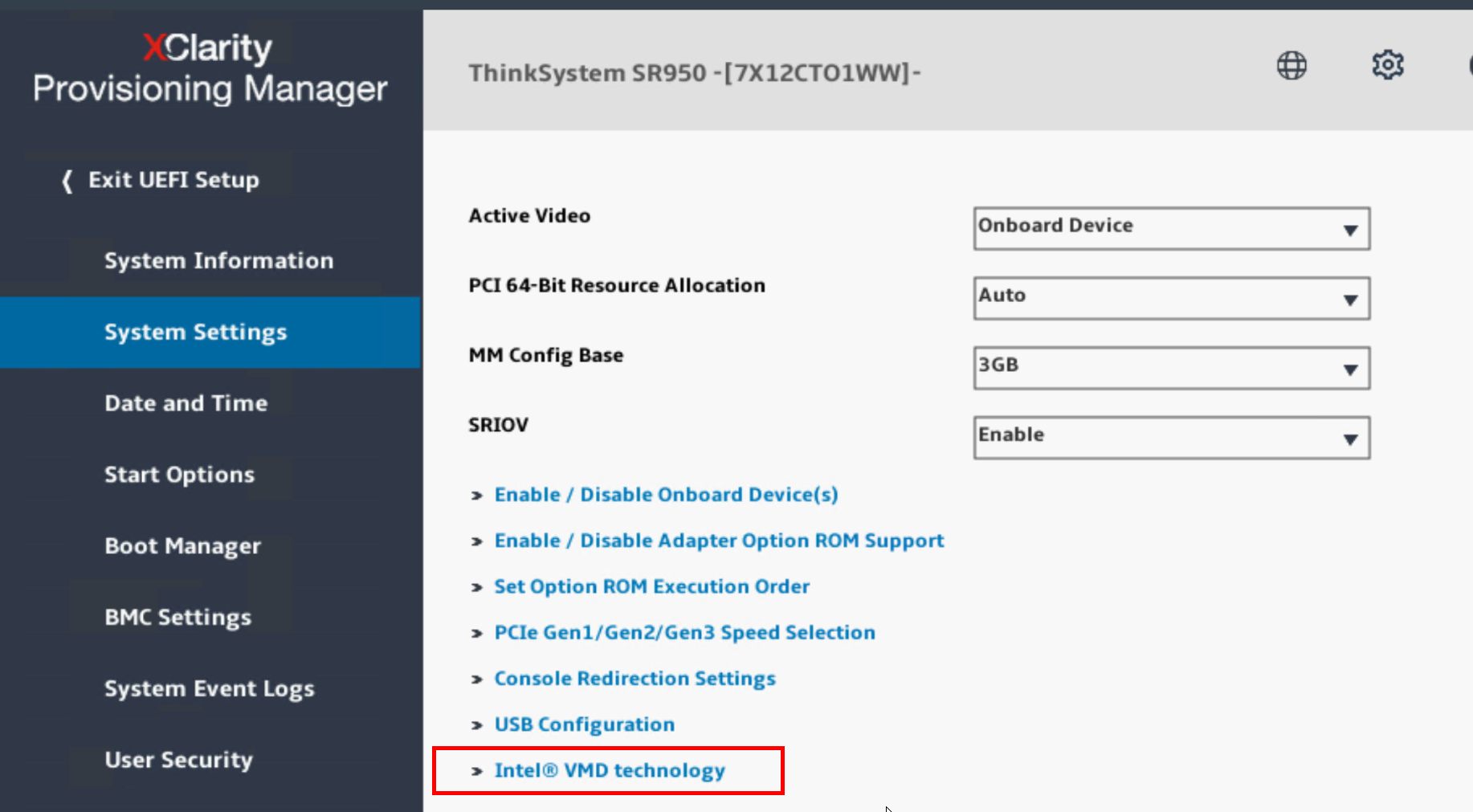
- Set to Disable and click Save.
Additional Information
For more details on VMD technology, refer link https://support.lenovo.com/us/en/solutions/ht506197-nvme-ssd-pci-device-will-be-invisible-when-intel-vmd-is-enabled-lenovo-thinksystem
Feedback
Yes
No
Powered by
