Unable to configure OpenSSL as Certificate Authority for VCF Management components
Article ID: 421281
Updated On:
Products
VCF Operations
Issue/Introduction
Trying to setup OpenSSL as a Certificate Authority (CA) for VCF Management components by navigating to
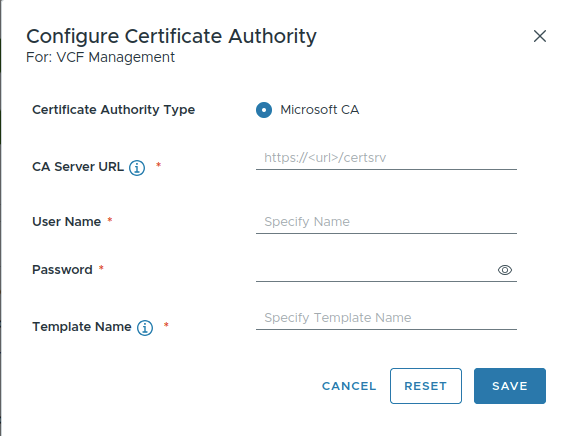
Fleet Management > Certificates > VCF Management but the only option presented is Microsoft CA.Environment
VCF Operations 9.0.x
Cause
The observed behavior is expected because VCF management components only support Microsoft Certificate Authority. However, VCF Instance components support both Microsoft Certificate Authority and OpenSSL.
Resolution
In order to configure OpenSSL in Fleet Management, follow the below steps:
- Log into VMware Cloud Foundation Operations as local user
admin. - Navigate to
Fleet Management→Certificates→VCF Instances→Select the VCF Instance→CONFIGURE CA.
Additional Information
Feedback
Yes
No
Powered by
