How to upgrade(converge) from VMware Live Site Recovery to VMware Live Recovery Appliance
Article ID: 414400
Updated On:
Products
Issue/Introduction
This article will guide you through the steps needed to transition from VMware Live Site Recovery to VMware Live Recovery Appliance.
Environment
VMware Live Site Recovery 9.0.2.2
VMware Live Recovery Appliance 9.0.4
Resolution
The VMware Live Recovery 9.0.4 release replaces VMware Live Recovery 9.0.3 and provides bug fixes.
Software versions starting from 9.0.3 and above is called VMware Live Recovery Appliance
Software versions ranging from 9.0 - 9.0.2.3 is called VMware Live Site Recovery
Software versions ranging from 8.0 - 8.8.0.3 is called VMware Site Recovery Manager
What's New in Live Site Recovery 9.0.3
VMware Live Recovery life cycle management has been significantly simplified by combining multiple appliances for VMware Live Site Recovery, vSAN Data Protection, and vSphere Replication into a single VMware Live Recovery appliance.
Product Support Notice
NOTE: VMware Live Site Recovery 9.0.3 supports vSphere Virtual Volumes. It is recommended to migrate your Virtual Volumes replications to array-based replication.
vSAN Support
VMware Live Site Recovery 9.0.3 can protect virtual machines that reside on VMware vSAN and vSAN Express Storage by using vSphere Replication. vSAN does not require a Storage Replication Adapter (SRA) to work with VMware Live Site Recovery 9.0.3.
Compatibility
VMware Live Site Recovery 9.0.4 is compatible with vSphere 8.0 Update 3 and later, and supports ESX versions 8.0 Update 3 and later.
vSphere Replication 9.0.4 is compatible with vSphere 8.0 Update 3 and later, and supports ESX versions 8.0 Update 3 and later.
VMware vSphere Replication 9.0.4 | 29 SEP 2025 | Build 24963726
VMware Live Recovery 9.0.4 | 29 SEP 2025 | Build 24963726 | Download
VMware Live Recovery Add-on 9.0.4 | 29 SEP 2025 | Build 24963726 | Download
NOTE: The VMware Live Recovery Add-on Appliance includes only VMware Live Site Recovery. You deploy the Add-on appliance when you plan to protect more than 5000 VMs, or use VMware Live Site Recovery in fan-in and fan-out topologies with a shared protected or recovery site.
Can I upgrade from VMware Live Site Recovery to VMware Live Recovery Appliance ?
No, there is no direct upgrade path from VLSR to VLR Appliance, you have to converge them.
What version of vSphere Replication and VMware Live Site Recovery should I have before upgrading to VMware Live Recovery 9.0.4 ?
vSphere Replication and VMware Live Site Recovery Appliances must be on 9.0.2.2
vSphere Replication 9.0.2.2 | 19 MAR 2025 | Build 24628359 | Download
VMware Live Site Recovery 9.0.2.2 | 19 MAR 2025 | Build 24639343 | Download
What is the procedure of upgrading my current appliances to 9.0.2.2 ?
Refer to these KB articles.
Site Recovery Manager Appliance Upgrade Best Practices (385248)
vSphere Replication Appliance Upgrade Best Practices (385246)
Read the documentation below carefully before proceeding.
Upgrading to the VMware Live Recovery appliance
Prerequisites and Best Practices for VMware Live Recovery Deployment
Prerequisites and Best Practices for VMware Live Recovery Upgrade
Deploy the VMware Live Recovery Appliance
Prerequisites to follow before starting the convergence process
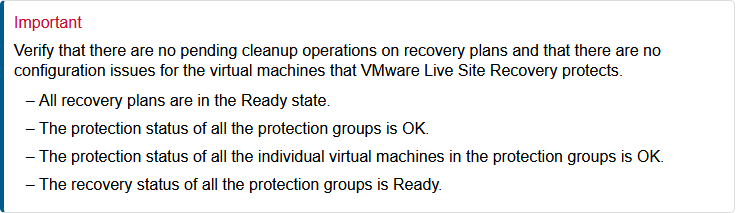
1. Take a full functional backup of the vSphere Replication & VMware Live Site Recovery Appliances using your backup software
2. Export Replication Configuration Data
3. Export VMware Live Site Recovery Configuration Data Through the User Interface
NOTE: You can import the vSphere Replication and VMware Live Site Recovery Configuration Data manually if the convergence fails given that the exports were taken successfully. You can also restore these VMs from your backup and re-attempt to perform the convergence with the assistance of a Broadcom Support Request.
4. Converge to the VMware Live Recovery Appliance
Feedback
