"Failed to connect to the following hosts" error while Restarting vSAN cluster after Shutdown.
Article ID: 373105
Updated On:
Products
Issue/Introduction
When using Shutting Down and Restarting the vSAN Cluster wizard to shutdown a vSAN cluster and one of the data node fails to boot during Restart the vSAN Cluster
Restarting vSAN cluster with a failed node using vSAN Cluster Shutdown wizard fails with the error Failed to connect to the following hosts.
The Wizard fails with the following error "Failed to connect to the following hosts" <failed hostname>
Environment
VMware vSAN 7.0.x
VMware vSAN 8.0.x
Cause
Shutting Down and Restarting the vSAN Cluster wizard has no provision to accommodate failed node scenario.
During the vSAN cluster bring-up process, it needs all ESXi hosts to be up and healthy.
Resolution
Resolution is to resolve the failed host hardware/software issues and boot the host successfully and resume Restart Cluster wizard wait until you see This cluster has been successfully restarted.
If the host cannot be recovered, please apply the workaround see below:
Workaround:
Remove the disconnected host from the cluster in vCenter.
Run the command "esxcfg-advcfg -s 0 /VSAN/IgnoreClusterMemberListUpdates" on all working hosts to update the cluster membership information.
Restart the cluster using the wizard.
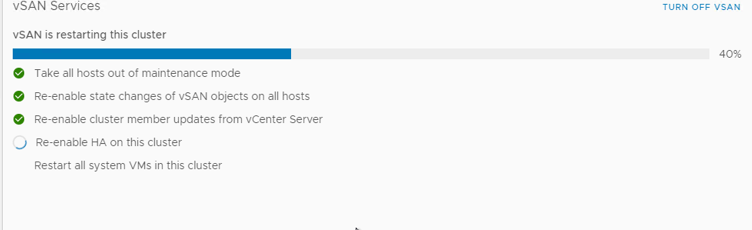
The restart process will automatically restore "DOMPauseAllCCPs" and HA settings.
4. Power on all the VMS and Re-register the VMs that were hosted in the failed host. you can run your environment in degraded mode.
5. When the failed node is recovered/fixed boot the failed node do not exit Maintenance Mode yet.
6. manually reset the configurations "/VSAN/IgnoreClusterMemberListUpdates" and "/VSAN/DOMPauseAllCCPs" to 0 on that host, and then add it back to the cluster.
7. Exit Maintenance Mode, wait for compliance related resync to finish.
Additional Information
Feedback
