"VM Guest OS" blank in Smarts ESM Reports
Article ID: 332780
Updated On:
Products
VMware Smart Assurance
Issue/Introduction
When viewing the Smarts ESM reports related to VM guests the field VM Guest OS is blank.
- Report path: ALL>>Report Library>>EMC Smarts ESM>>
Reports affected:

VMs Recently Moved

VMs Recently Added

VMs Recently Deleted

VMs With Heartbeat Errors
Environment
M&R - 7.x
Cause
Pulling the wrong property
Resolution
For the following reports:
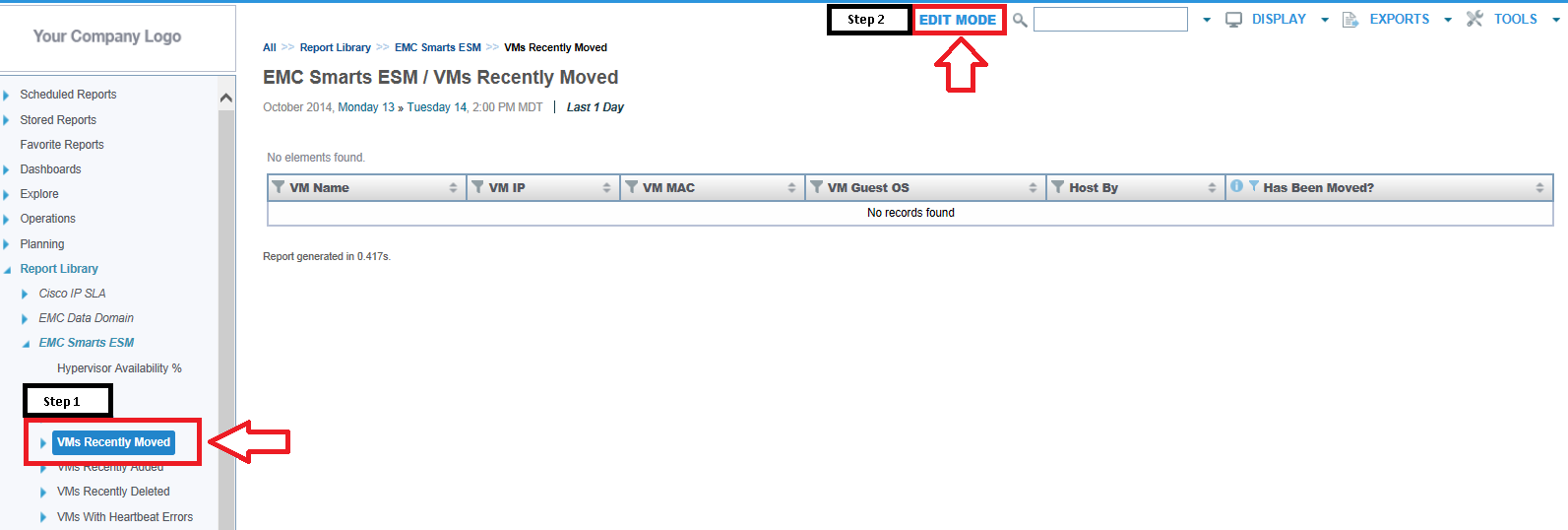
1. Select Report
2. Click Edit Mode
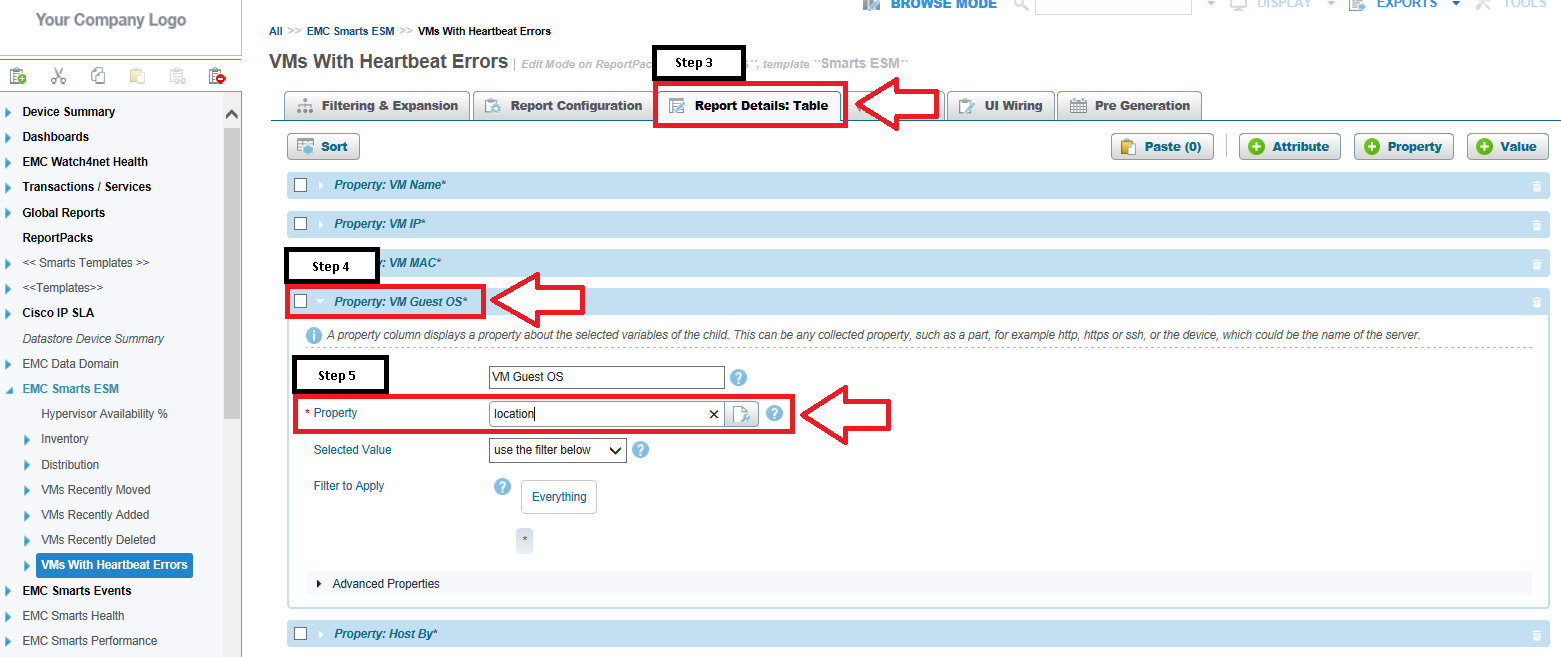
3. Select Report Details: Table
4. Click the drop down for Property: VM Guest OS*
5. Change Property from "location" to "model"
6. Click Save
7. You should now be seeing the VM Guest OS populated.
8. Repeat the preceding steps on for each affected report.
- VMs Recently Moved
- VMs Recently Added
- VMs Recently Deleted
- VMs With Heartbeat Errors
1. Select Report
2. Click Edit Mode
3. Select Report Details: Table
4. Click the drop down for Property: VM Guest OS*
5. Change Property from "location" to "model"
6. Click Save
7. You should now be seeing the VM Guest OS populated.
8. Repeat the preceding steps on for each affected report.
Feedback
Yes
No
Powered by
