"Failed waiting for data. Error 195887179" when attempting to vMotion
Article ID: 318797
Updated On:
Products
VMware vSphere ESXi
Issue/Introduction
- vMotion fails with the error :
Failed waiting for data. Error 195887179.Connection reset by peer.
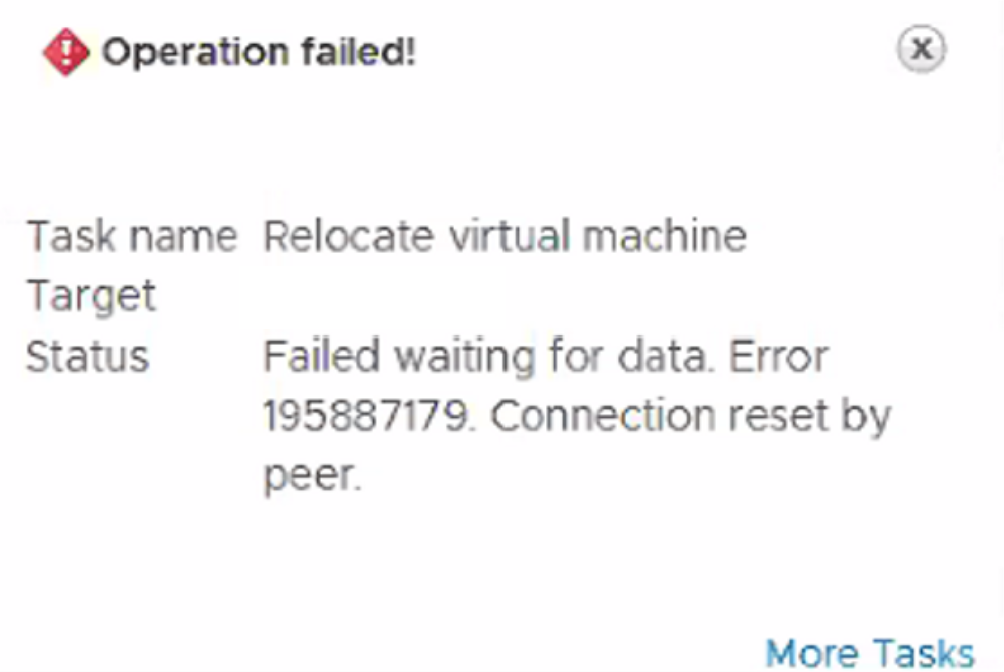
- You may also see an error similar to:
Failed waiting for data. Error 195887371....
- In the /var/log/vmkernel.log file, you see the error:
vMotion vmknic is undefined.vMotion will attempt to proceed, but may not reach optimal performance.
Note: This can prevent a host from going into maintenance mode due to running virtual machines.
Environment
VMware vSphere ESXi 6.7
VMware vSphere ESXi 7.0
VMware vSphere ESXi 8.0
Cause
This issue occurs if there is a mismatch between the Jumbo frame size in the physical network and the vmkernel MTU settings.
Possible mismatch of the Jumbo frame size between vmkernel and physical network MTU settings are:
- MTU 9000 (Jumbo) in the vmkernel
- MTU 8982 or 1500 in the physical network interface
- MTU 8000 required with ACI transit interfaces
Resolution
To resolve this issue, change the (vMotion) vmkernel MTU size to match the physical network interface.
- You can use vmkping tests with the packet size and do not fragment flags to verify MTU size, e.g. 8972 for MTU 9000 or 1472 for MTU 1500
- Example:
vmkping -I vmk2 -s 8972 -d <destination IP>
- Example:
- Note: When dealing with MTU issues, ensure every interface in the packet path is using the same MTU value. For example, this issue can occur when the vMotion vSwitch has a different MTU than the vMotion vmkernel port.
Workaround:
You can perform the following solution as a workaround or troubleshooting step until you verify physical network MTU size:
You can perform the following solution as a workaround or troubleshooting step until you verify physical network MTU size:
- Edit vMotion vmkernel and add default value 1500 instead of jumbo frames.
Note: It is still recommended that you set every interface in the packet path to the exact same MTU value (vmkernel and physical interface).
Additional Information
For information on changing the MTU size for a Standard Switch, see vSphere Standard Switch Properties
For translated versions of this article, see:
Feedback
Yes
No
Powered by
