Decommission / Remove / Disable SDDC Manager in a VCF on VxRail instance
Article ID: 316015
Updated On:
Products
VMware Cloud Foundation
Issue/Introduction
Symptoms:
- This document lists the steps required for disabling SDDC Manager in a VCF on a VxRail instance.
- For the Customers who want to decommission SDDC Manager and manage SDDC components independently or merge two or more SDDC environments.
NOTE - Disabling SDDC Manager will force users to manage their SDDC instance on their own, the environment will lose many capabilities such as domain operations, NSXT configuration automation, lifecycle management, security operations such as password or certificate management, vRealize automation, edge or AVN automation, etc.
Resolution
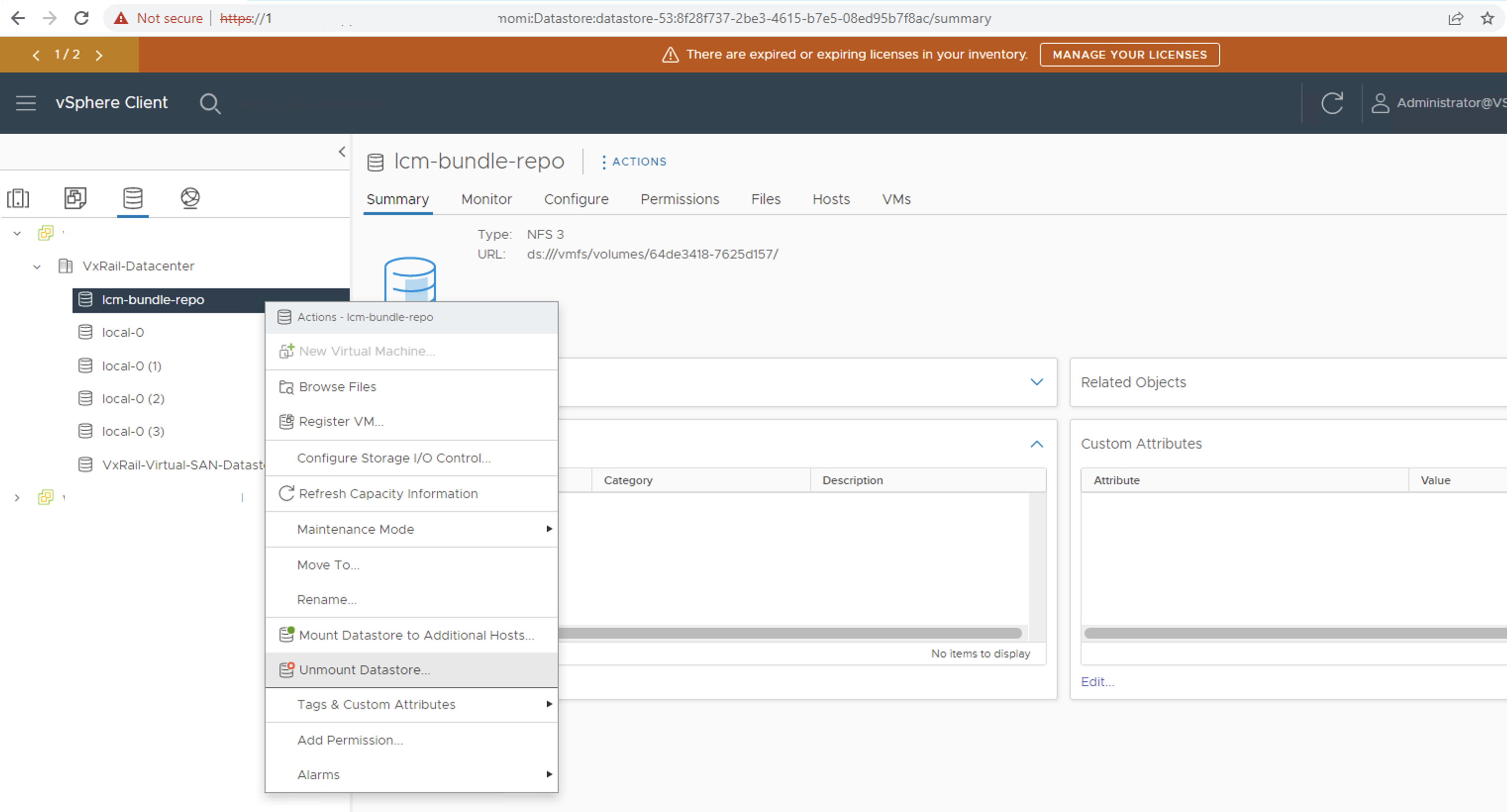
Step 1: Disconnect hosts from lcm-bundle-repo NFS datastore. This datastore is mounted to the SDDC Manager NFS server mount path. As we are disabling SDDC Manager, we need to unmount the storage connection for all the nodes. Perform this step for all the clusters. This step is no longer needed if the VCF versions >= VCF 4.5.1, this datastore is unsupported from VCF 4.5.1.
Step 3: Get credential information from SDDC Manager and take a backup of the data
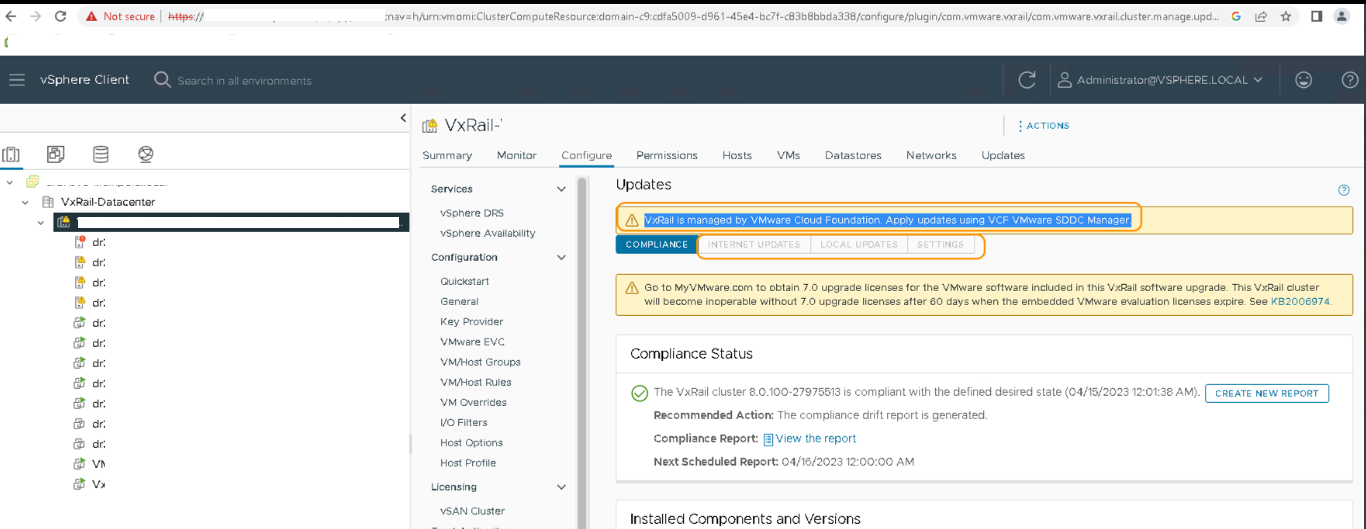
Step 4: Confirm SDDC Manager is managing the instance and cluster upgrade options from the vCenter VxRail plugin is disabled
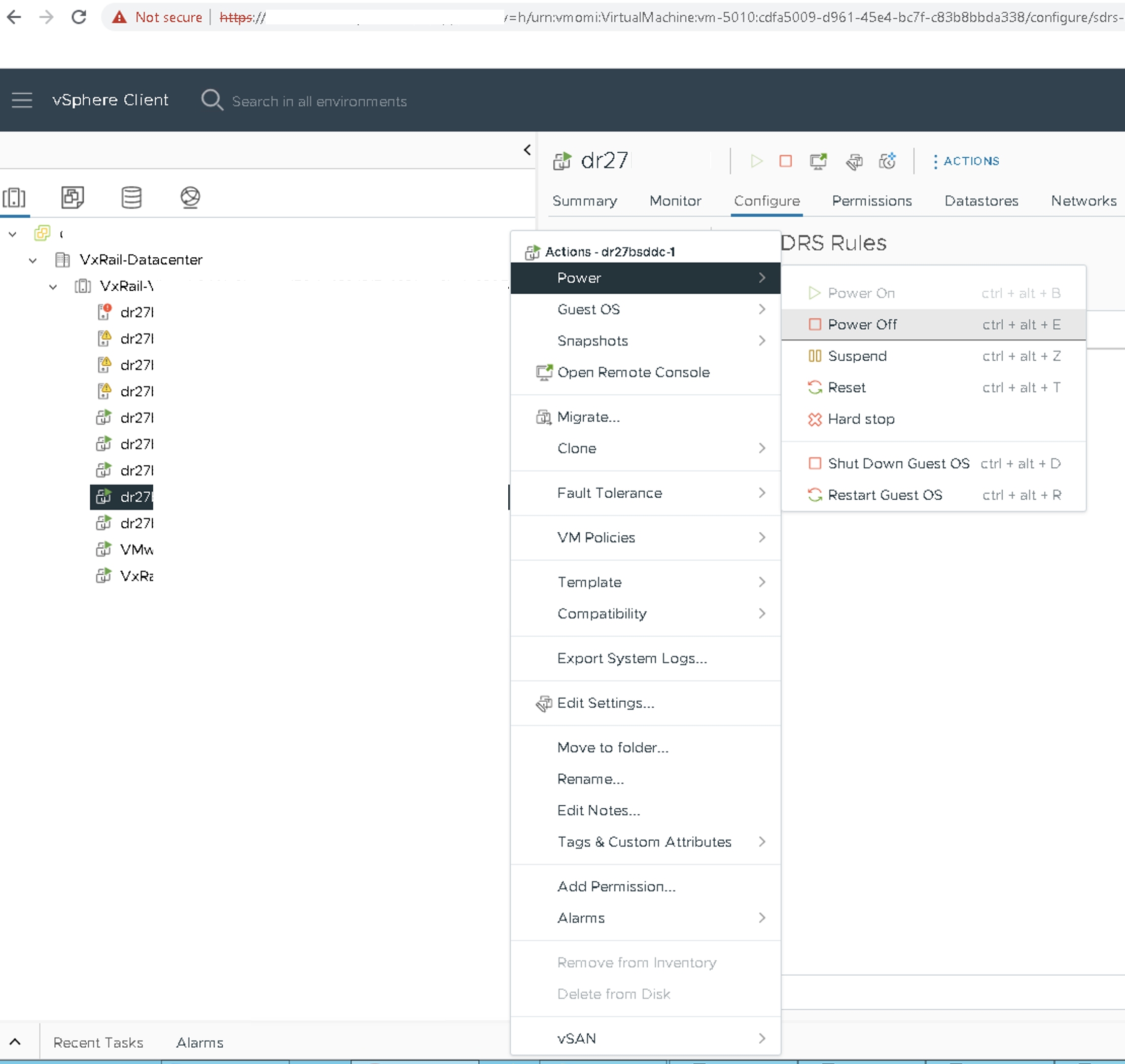
Step 5: Power off SDDC Manager VM
Step 6: Remove/change SDDC deployment parameters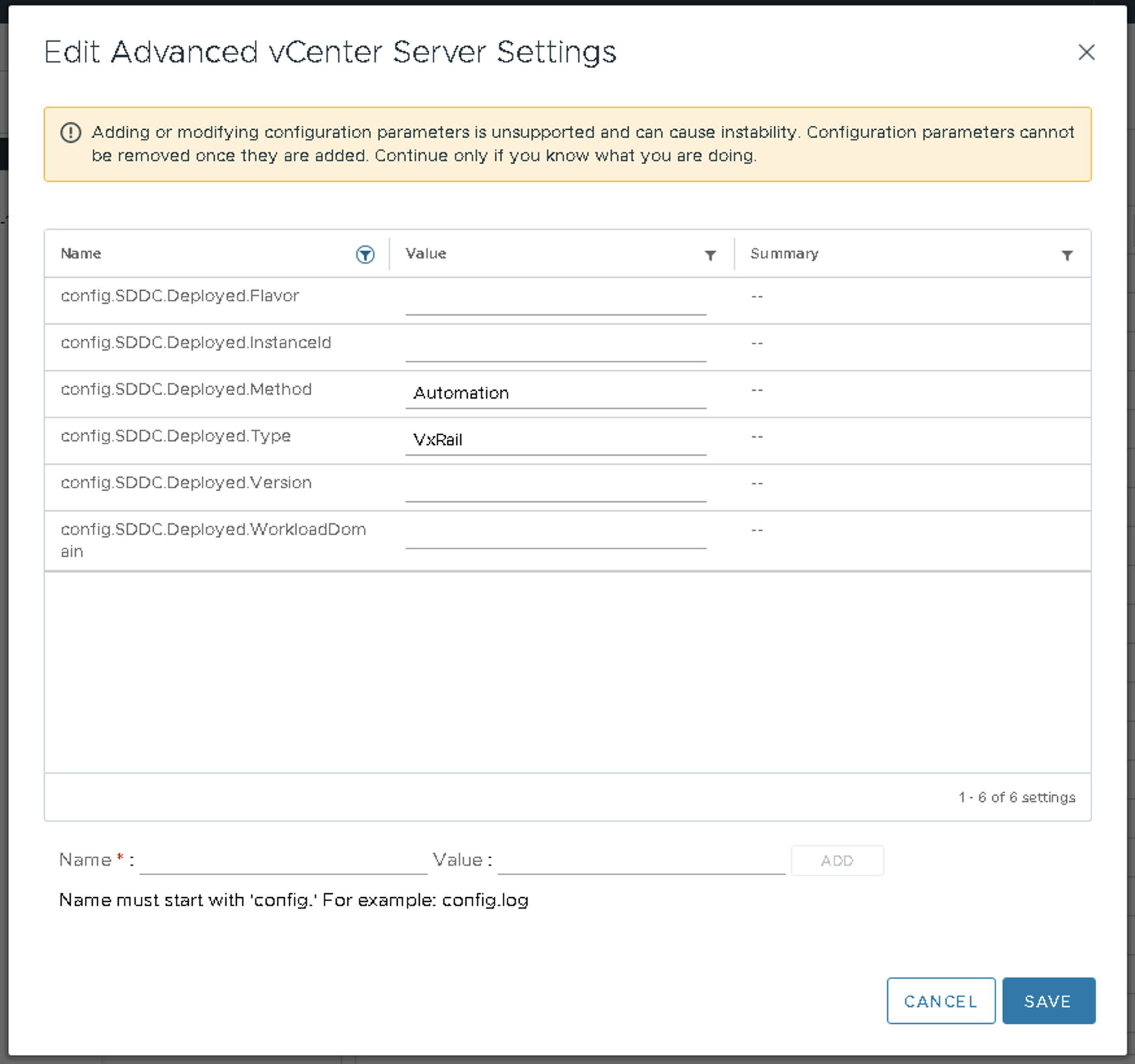
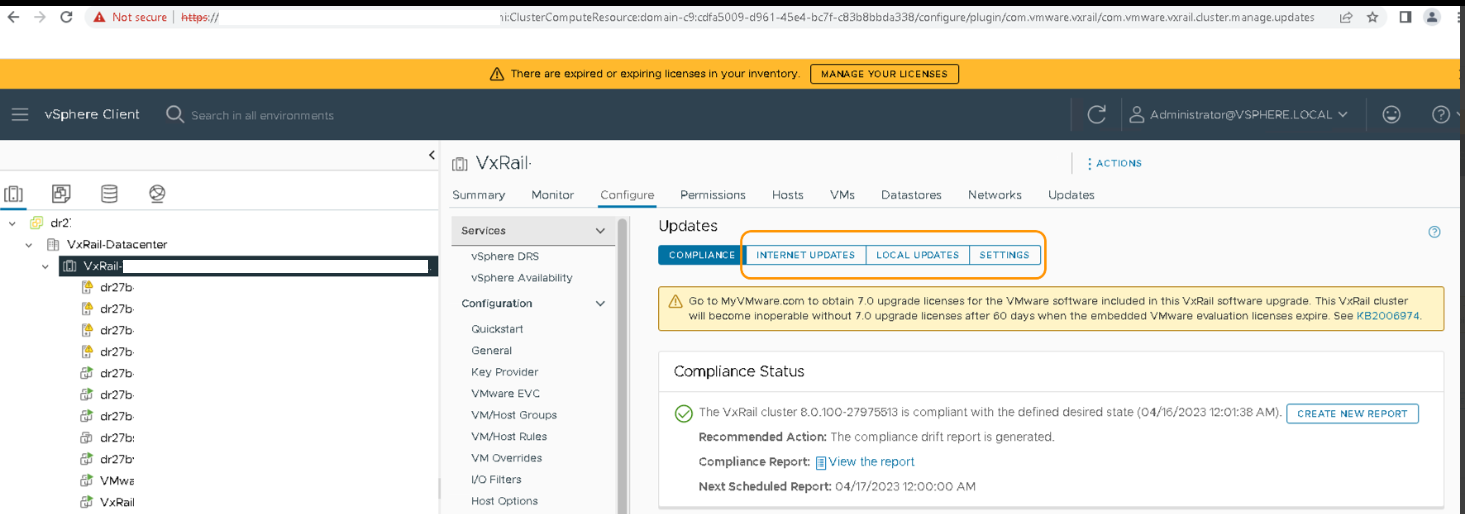
Step 7: Check Cluster → Configure → VxRail → Updates tab and INTERNET UPDATES, LOCAL UPDATES and SETTINGS tab should be enabled.
- Select storage inventory of the vCenter
- Select lcm-bundle-repo NFS datastore.
- Right-click and click on Unmount Datastore
- Select all the hosts and click OK
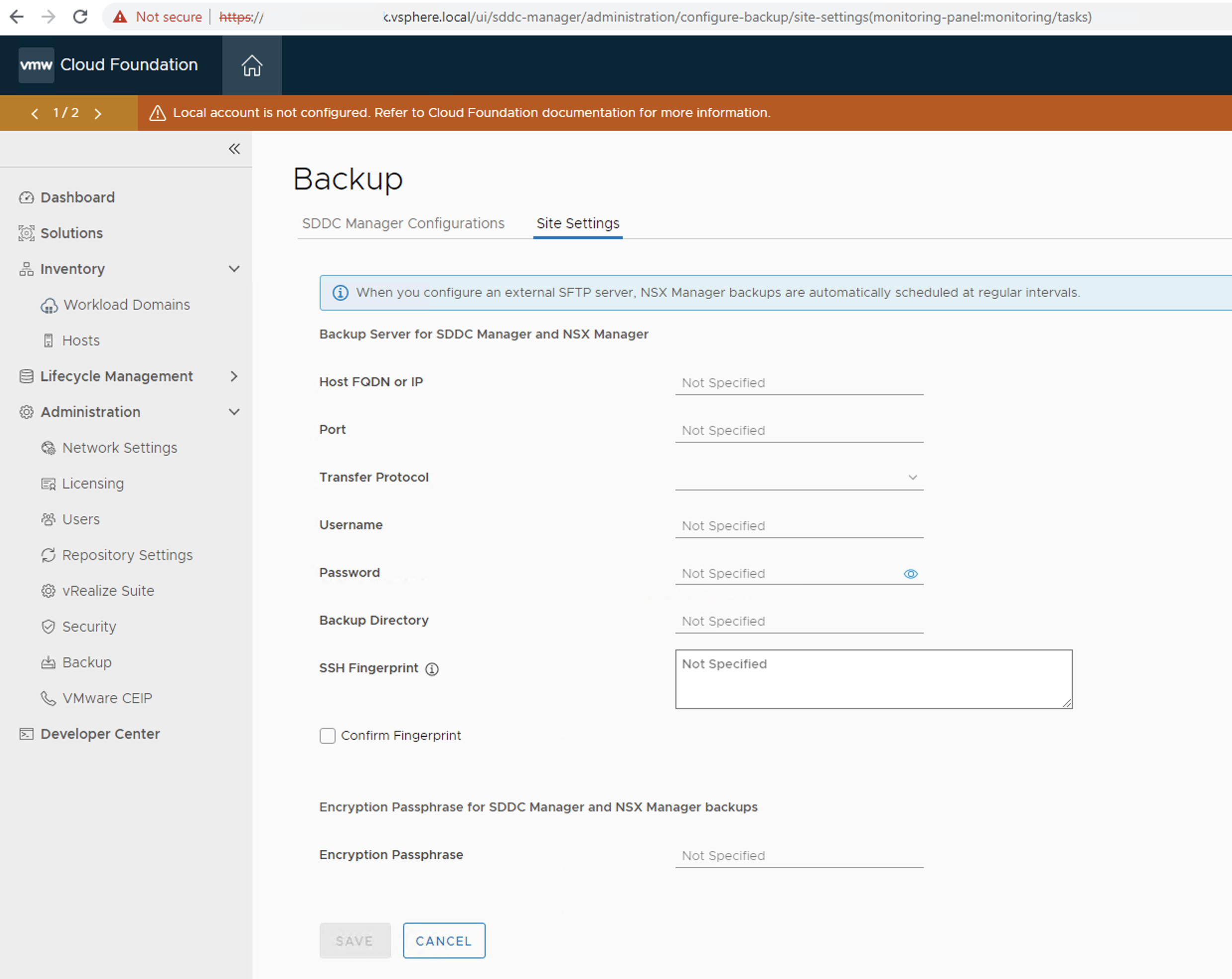
Step 2: Check if SDDC Manager is used for NSXT backup, by default we use SDDC Manager as a backup server. If an external backup server is configured, then ignore this step. If the default configuration is there, then register external backup.
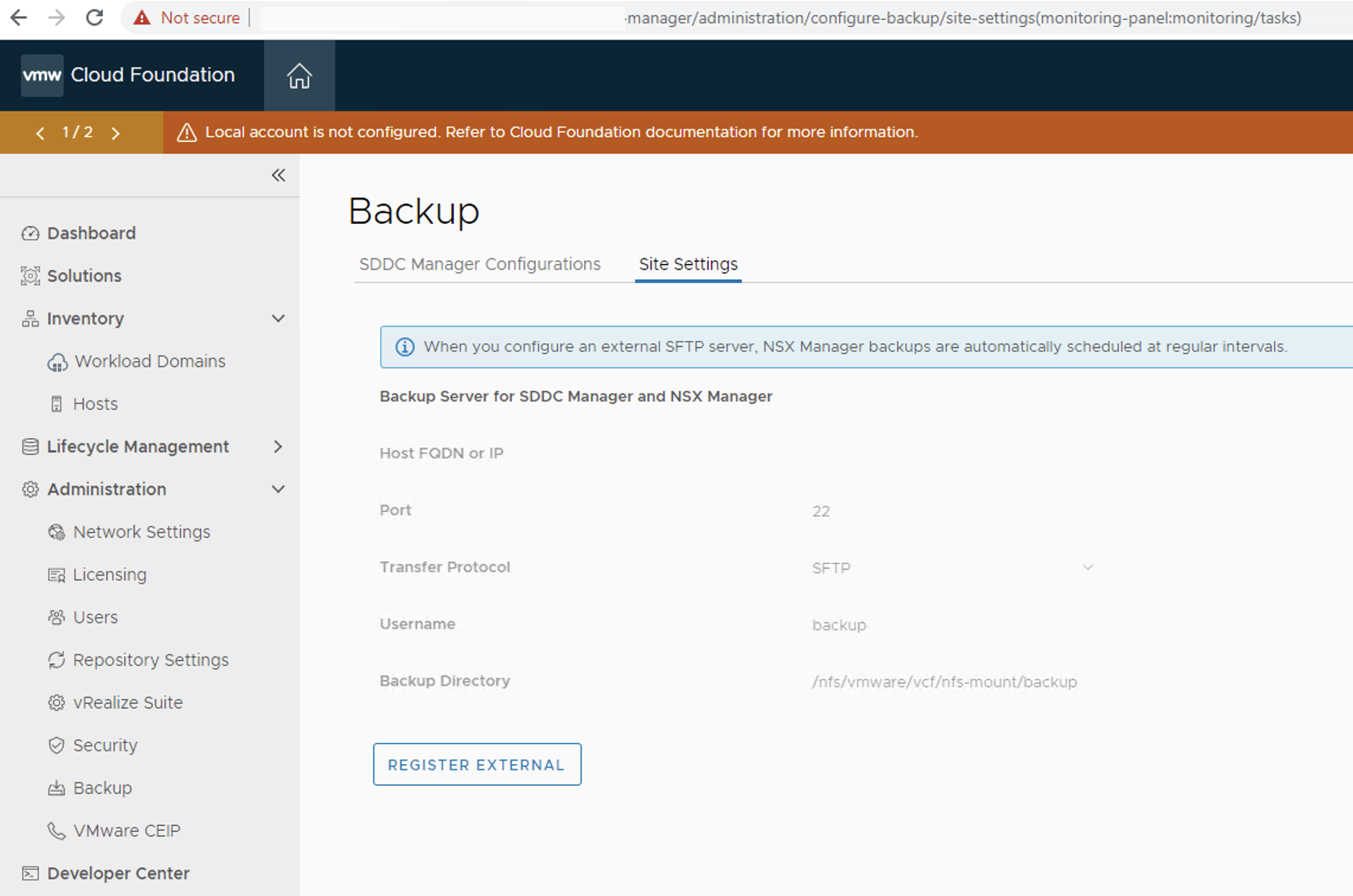
- Go to SDDC Manager Administration → Backup and click on REGISTER EXTERNAL
- Fill in backup server configuration details and click on SAVE
Step 3: Get credential information from SDDC Manager and take a backup of the data
- Connect to SDDC Manager UI and click on Developer Center
- Search for credentials API
- Select API GET /v1/credentials
- Click on EXECUTE and download the response
Step 4: Confirm SDDC Manager is managing the instance and cluster upgrade options from the vCenter VxRail plugin is disabled
Step 5: Power off SDDC Manager VM
Step 6: Remove/change SDDC deployment parameters
- Select vCenter and click on Configure
- Click on Advanced Settings
- Click on EDIT SETTINGS
- Search for SDDC
- Change config.SDDC.Deployed.Type from VCF-VxRail to VxRail
- config.SDDC.Deployed.Flavor value as empty
- config.SDDC.Deployed.InstanceId value as empty
- config.SDDC.Deployed.Version value as empty and
- config.SDDC.Deployed.WorkloadDomain value as empty
- click on SAVE
Step 7: Check Cluster → Configure → VxRail → Updates tab and INTERNET UPDATES, LOCAL UPDATES and SETTINGS tab should be enabled.
We may have SDDC Manager VM configured service credentials, and tags in SDDC Manager components. As these credentials/tags are for internal purposes or communication, keeping the same will not harm any of the future operations.
Validate cluster expansion, shrink and upgrade operations using VxRail vCenter plugin options
Additional Information
Impact/Risks:
If the state changes after disabling the SDDC manager, then we can't re-enable the SDDC manager or revert the SDDC manager disable operation.
If the state changes after disabling the SDDC manager, then we can't re-enable the SDDC manager or revert the SDDC manager disable operation.
Feedback
Yes
No
Powered by
